Access Control
How to Install Access Control Systems: A Comprehensive Guide
If you’re still using keys to enter your facilities or locking your gates with heavy chains and padlocks, your property needs an upgrade—to its technology and its overall security approach.
Enter access control systems: networks of devices that monitor and open gates, loading docks, bay doors, and more. These modern systems are powerful, secure, and user-friendly. But are they easy to install?
Access control installation is simple, but it requires planning to get right. That’s why we’re breaking down everything you need to know in this guide: how access control systems work, what you’ll need to do before installation, how to implement your system, and best practices.
Understanding Access Control Systems
Whether you’re still toting a huge keyring or you’ve upgraded to commercial smart locks, understanding the potential of today’s access control systems is a must.
These powerful and effective commercial control networks comprise three key ingredients:
- Hardware – You might already use smart hardware to secure your facility: tech like card readers, digital locks, keypads, and control panels. These are the devices you, your staff, and facility guests will interface with every day.
- Software – Software knits all of your individual hardware pieces together to facilitate certain functions. For instance, management platforms (like smartphone apps and desktop programs) can help you lock all of your facility doors at once at the end of the day.
- Credentials – These are the items (or information) entrants will present to your hardware to access your facility. Whether they input a code, present a card, use a fob, or supply biometrics (like fingerprints), each entrant will use a specific (and, ideally, an individually identifiable) credential to interact with a piece of hardware.
An access control system is a physical security system—your first line of defense against bad actors, unauthorized visitors, and other potential facility threats.
Pre-Installation Planning
Before you impulse-buy a few digital locks at the hardware store, pause and think through your approach to facility security. These two pre-installation steps will help you set up your new access control plan for success.
Assess Your Security Needs
Businesses, multi-tenant buildings, and warehouses all have their own security needs. In other words, not every security tool is built for every use case.
For instance, you may need commercial gate access control systems if you run a commercial storage facility or manage a distribution center; however, if you own a retail clothing store, you may only need a high-quality door lock system.
Before installing anything, evaluate your:
- Building size – How many doors, gates, or bays will you need to control? While some software platforms are built for large-scale networks, others are only designed to manage a few devices.
- Daily traffic – Does your facility manage entry for staff, potential customers, authorized contractors, residents, or a combination of these? Your access control system should meet the needs of the people who need access.
- Specific security requirements – Are only some staff allowed in specific areas of your facility? Do you manage temperature-controlled warehouses? Your system must also meet the needs of your unique use case.
Select the Right System
Once you have a clear picture of your physical security needs, select a system that’s compatible with your unique facility layout, access profile, and requirements.
However, your chosen system should also match your needs for:
- Scalability – Do you anticipate that your property will grow? If so, your access control system will need to grow with it. A commercial video intercom system, for instance, only supports a limited number of residents per unit. If the facility expands, you may need to add additional or larger intercoms to ensure full coverage and accessibility.
- User-friendliness – Who will be using your system: security experts, residents, guests, or everyday staff? Your chosen platform should be navigable for its primary user group.
- Integration potential – How easily will your new platform and hardware integrate with any existing tech? Your alarms, cameras, property management software, smart locks, and cloud-based security software should be able to talk to each other to eliminate coverage gaps.
Step-by-Step Installation Process
With the above considerations in mind, let’s dive into access control installation: how to implement your new access tools with minimal headaches.
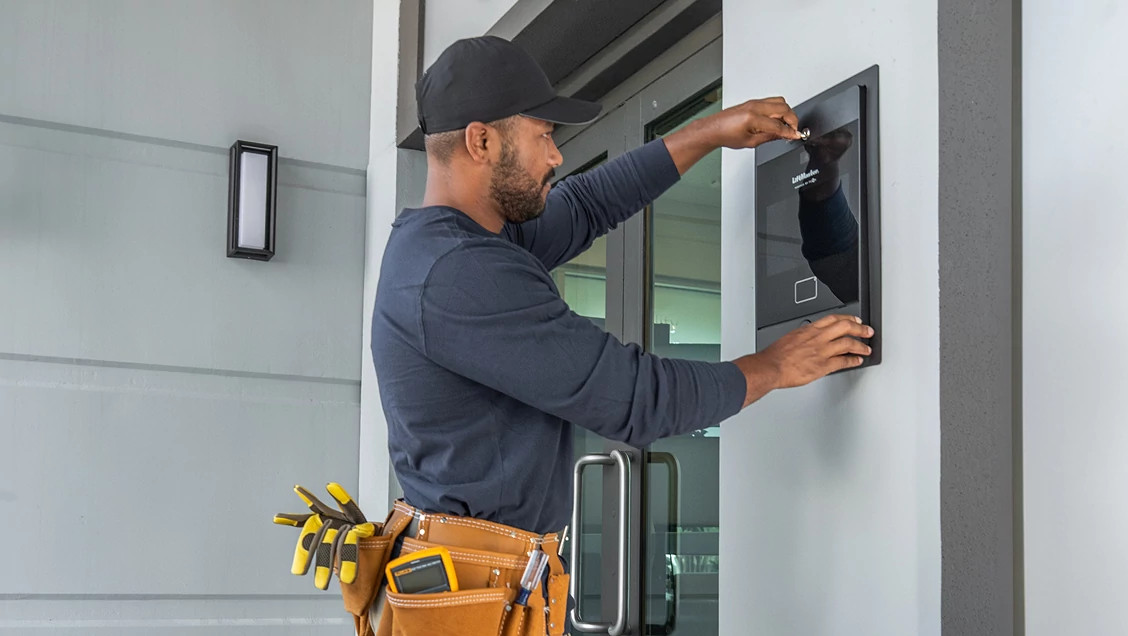
Installing the Hardware
Installing control panels, card readers, locks, and wiring will be the most labor-intensive part of the process. To speed up this step, take plenty of time to plan device placement and schedule installation work.
Speaking of placement, these devices should be:
- At an accessible height – Hardware should be low enough for all facility users and visitors to reach.
- In view of cameras – If your facility is secured with cameras, your access control system and visual surveillance systems should be as aligned as possible.
- Protected from the elements – Protect sensitive electronics with waterproof covers, small awnings, and other weatherproofing solutions.
In addition, make sure that your electrical system is shut down before any electrical work begins to prevent electrocution—especially during wiring installation.
Configuring the Software
Once your hardware is installed, it’s time to customize your software. Here’s how:
- Set user permissions – Set up each user and customize their permissions: locking users out of areas based on their roles or giving them permission to change device settings, for instance. Share credentials with staff and keep a record of them in a secure location. Additionally, remember to keep credentials individually identifiable if possible; credentials shared among a group only invite security issues.
- Build access schedules – If your property hosts workers on multiple shifts, consider building access schedules for each user based on the times and days of their shifts.
- Integrate monitoring tools – Use your software to connect your access system to monitoring tools like security cameras and temperature sensors (if needed).
For small businesses, this step could be as simple as configuring keycards and handing them out to your employees. Your configuration needs will depend on your system scale, facility size, chosen devices, and other factors.
Testing the System
While setting up commercial access control systems is relatively simple (especially with a plan in place), mistakes are possible—especially right after installation.
Testing can help you identify these kinks before you introduce the system to personnel. Once your system is up and running, ensure that all of the following components work as expected:
- Access keys (e.g., fobs, keycards, biometric scanners)
- Locks
- Doors and gates (and any automatic openers)
- Custom user schedules
- Access logs
- Credentials (for both using hardware and accessing software)
For large-scale implementations, we recommend monitoring for errors in the early days after launch. That might look like:
- Setting up a troubleshooting hotline
- Keeping a log of errors and suggested modifications
- Keeping your last system (like traditional keys) active during the transition
Post-Installation Best Practices
Like other systems, access control networks require maintenance and other housekeeping to stay operational. Some best practices you can use to optimize your system include:
- Setting routine maintenance schedules – From tightening physical screws to clearing digital data caches, set automated schedules for maintenance tasks.
- Updating software – Automate software updates to ensure seamless operation. However, don’t forget to automate user notices about updates, too—especially if the system will be offline during an update.
- Training employees to use the system – After implementation, upon hire, and after making any system changes, train staff to use your access hardware and software correctly.
Common Challenges and Troubleshooting Tips
After access control installation, you might experience a few common issues. Let’s touch on some troubleshooting steps you can use for quick resolutions.
Connectivity Issues
If one or more devices are struggling to connect to the system, make sure that:
- Devices are powered – Use voltmeters and other electrical safety tools to ensure that individual devices are getting the power they need. If they aren’t, you may have a wiring issue. If multiple devices on the same circuit are malfunctioning, check for larger-scale power failures.
- Your network is performing reliably – For devices connected to the internet, make sure that your signal can consistently reach every device. If devices are struggling to communicate, make sure they’re in close enough proximity with limited obstructions.
- Software is updated – Ensure that all devices are running the latest versions of software.
Misconfigured Access Permissions
If misconfigured access permissions are complicating security for your staff:
- Review individual access keys – If specific personnel are having trouble accessing your facility, check their individual key cards, fobs, and biometrics. You may need to reconfigure their user settings.
- Review user group rules – If you set permissions for specific groups of personnel, review these permissions anytime multiple group members report errors.
- Check schedules – If an employee changes shifts permanently or temporarily swaps with a colleague, make sure to change their access schedules accordingly.
Hardware Failures
To diagnose failures at an individual device level:
- Cycle the power of the specific device (i.e., turn it off and back on again).
- Test the device with multiple keys or credentials.
- Test nearby devices for failures.
- Reset and reconfigure device settings.
If you still experience errors or failures with individual devices, contact the manufacturer for additional troubleshooting tips or to discuss device replacement.
Unlock Modern Access with myQ | LiftMaster
All it takes to revolutionize your access system is a little planning, a piecemeal approach to installation, and a dedication to maintenance best practices—as long as your chosen system is a perfect match for your needs.
Enter myQ and LiftMaster: your source for commercial access control management tech. From schools to gated communities, we supply smart access tools for companies across industries—we even have tailor-made tools for small businesses.
October 29, 2025