
-
Products
Overview
-
myQ App
Overview -
Plans
Overview -
Works with myQ
Overview
-
Properties & Facilities
Overview
Support
-
account_circle My Account
Overview
-
Support
- account_circle My Account
-
 Added to your cart
Frequently added together
 0
myQ Garage Door Opener Diagnostics

Keep your garage door
running smoothly

Troubleshooting made simple
As often as you go in and out of your garage each day, it can be stressful when your garage opener isn't functioning properly. myQ Diagnostics can save you time and money if it’s an easy fix you can do yourself or remove the hassle of trying to find the right Dealer when you need one.
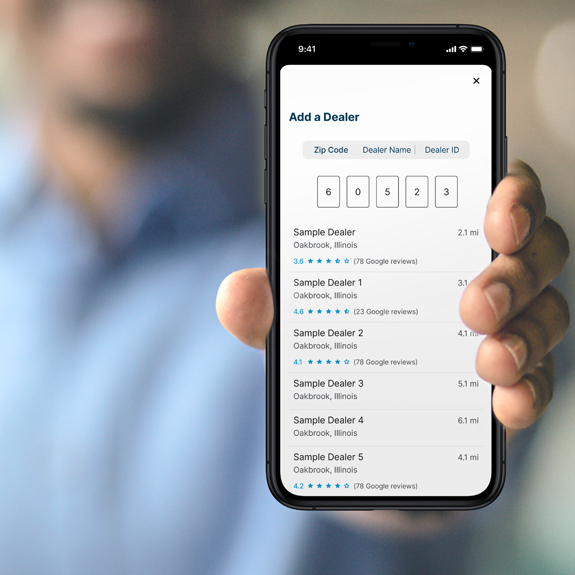
ADD A DEALER
Don’t wait until something goes wrong. Tag your Dealer’s contact information in the myQ app so you can quickly connect with them when you need help.
GET ALERTS
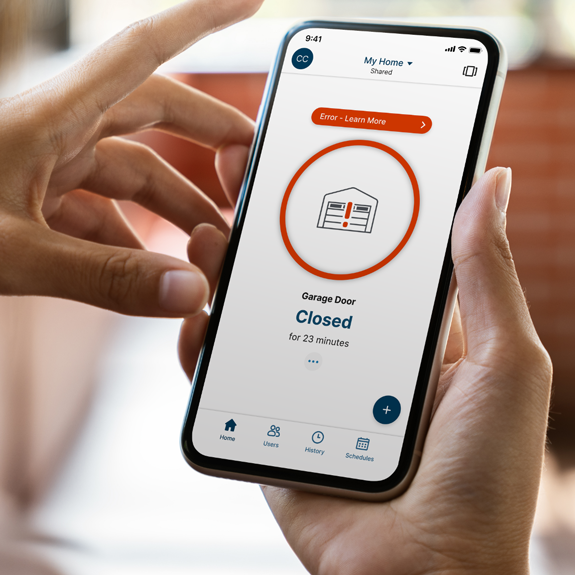
Know right away when there is an issue with your garage. Receive alerts and error codes in the myQ app and learn if it’s an easy fix, or if you need to call a Dealer.
SEND HEALTH REPORTS
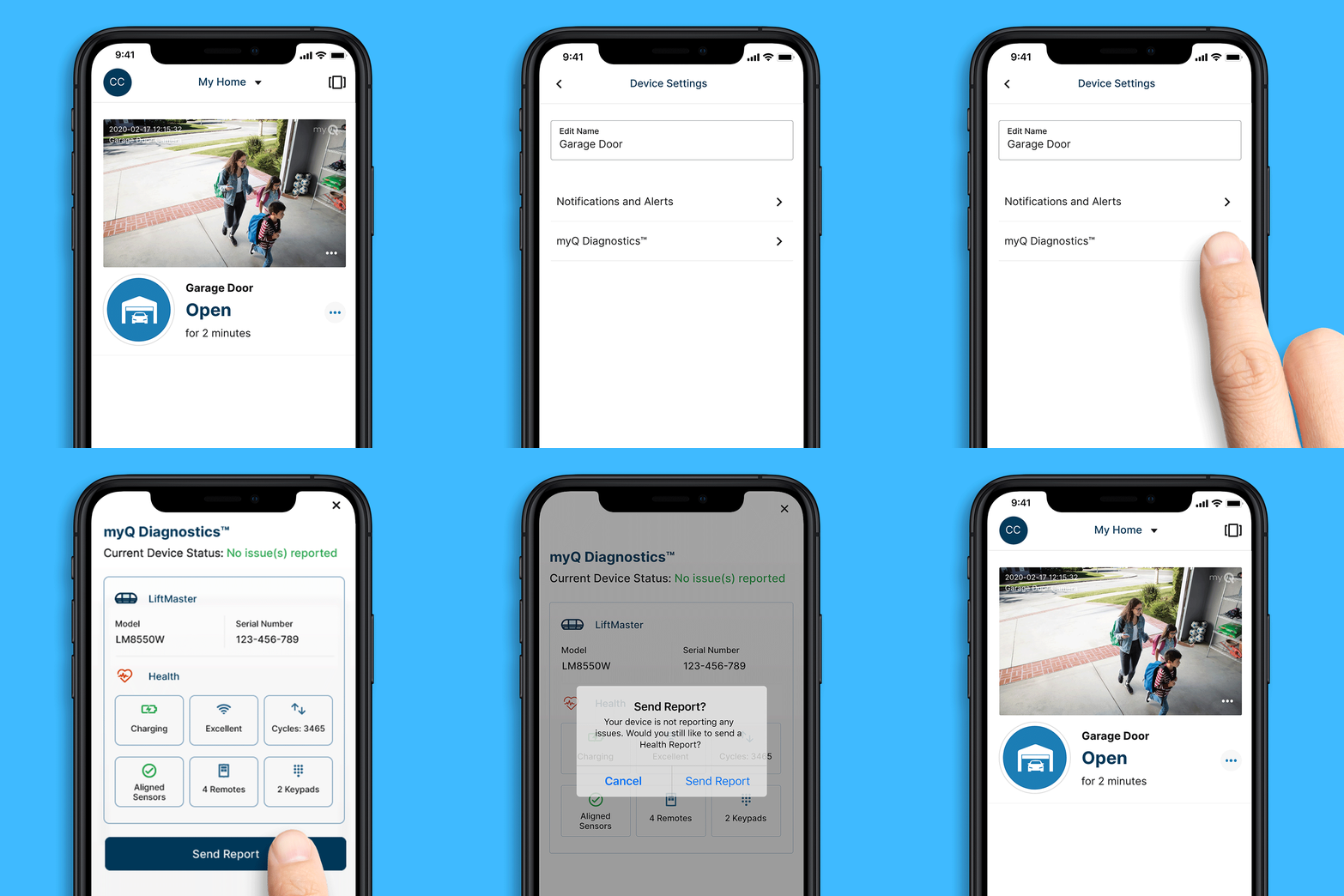
Easily share your myQ Diagnostic health report with your Dealer from the myQ app to ensure they bring the right tools and parts needed for a rapid repair.
Setup takes moments
FAQs
What products are compatible with myQ Diagnostics?

myQ Diagnostics works with select LiftMaster and Chamberlain branded garage door openers. If your garage door opener has one of the following logos, it is compatible: Wi-Fi® or Powered by myQ.
Who can add a dealer to save in the “My Dealer” section of the app?
Any customer with a myQ account can select and save their dealer in the app. Only those with Wi-Fi openers are able to view diagnostic information and share it with their dealer.
How can I locate a dealer to fix my garage door opener with myQ Diagnostics?
If you are a myQ account owner, tap your account information in the top left corner of the home screen. Select “My Dealer” and then “Add a Dealer.” You can search by zip code, dealer name or participating Dealer ID and add to the app.
Where do I find myQ Diagnostic information in the app and how do I share the myQ Diagnostics health report with my dealer?
- In the myQ app, tap the menu option (3 dots) that’s displayed next to your Wi-Fi enabled garage door opener on the Home Screen to be taken to Device Settings.
- Select the arrow next to “myQ Diagnostics” to view device status.
- Select “Send Report” to share your health report with your Dealer.
- For more information on how to use myQ Diagnostics please read the support article .
If I share a health report with a dealer or customer service, will they be able to monitor or control my device without my knowledge?
No, myQ Diagnostics is not an open data source. You are only sharing the data fields shown in the report and your contact information. Choose when to share a health report with a Dealer and stop sharing your device data status at any time. Shared reports will be automatically deleted from the dealer’s database after 30 days.
What do the garage door opener myQ diagnostic codes mean?
To find more information or to get further assistance on resolving error codes please visit our support site.
